-1.png?width=114&height=50&name=sparklearn_logo_2020_large_white-01%20(1)-1.png)
What is the Dashboard?
The dashboard helps you browse recommended and assigned content and provides fast access to your Groups, followed Tags, Bookmarks, the Glossary, and more.
The dashboard is accessed at the bottom left of the toolbar, represented by the house icon in the mobile application  or by the logo in the top left corner of the desktop application.
- View the Groups you are a part of by swiping left and right in the My Groups section
- If any content has been assigned to you, it will appear in the Assigned section along with assigned content you've already Completed
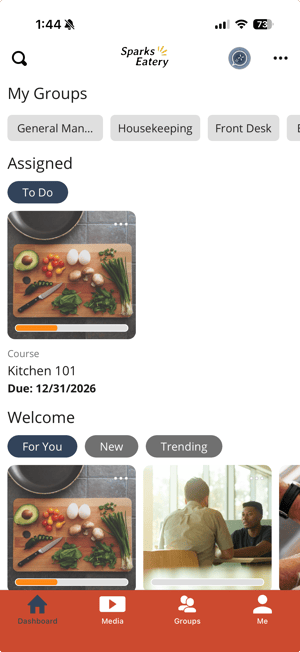
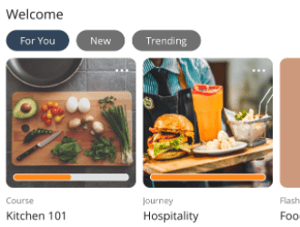
- Select one of the following tabs and swipe through recommended content
- For You – material based on your interests and groups
- New – content that has recently been added to SparkLearn
- Trending – content commonly viewed by other users
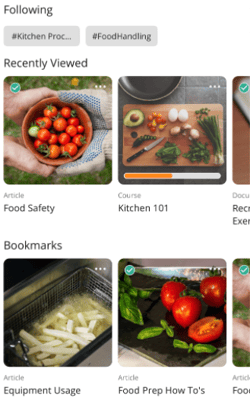
- See articles you have viewed recently by swiping left and right in the Recently Viewed section
- Browse articles you have bookmarked by swiping left and right in the Bookmarks section
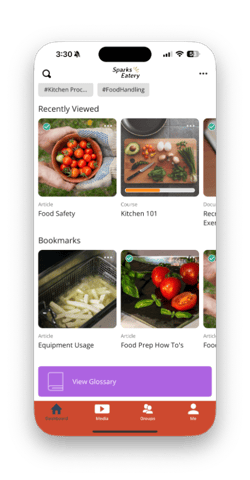
- Scroll to the bottom of the dashboard to view the Glossary for a list of key terms and definitions for your team(this is a premium feature and may not be avalable toall users)
Still can't find what you're looking for? Contact Support