![sparklearn_logo_2020_large_white-01 (1).png]](https://help.sparklearn.com/hs-fs/hubfs/sparklearn_logo_2020_large_white-01%20(1).png?height=50&name=sparklearn_logo_2020_large_white-01%20(1).png)
User Generated Content is content created by a Learner. This content needs to be reviewed by a Content Manager before being published.
- Select More Content from the menu on the left of the screen
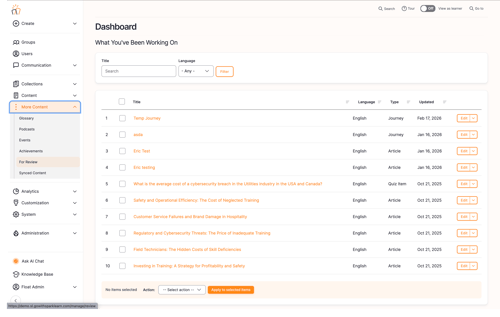
- Select For Review
- View content for review by Last Updated or Author
- Select the Title of the article you would like to review
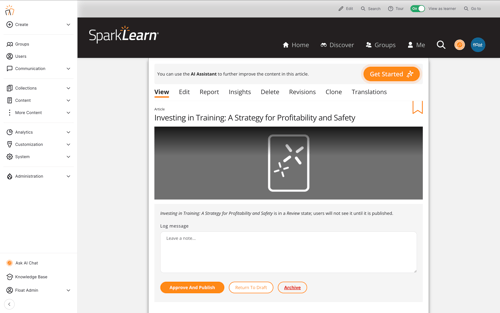
- Read through the article
- Use the text box to provide feedback to the author
-
These optional notes are saved to the content's revision log
-
- You can select Approve and Publish to publish the article, Return to draft to send the content back to its author for updates or you can Archive the article
Still can’t find what you're looking for? Contact Support