![sparklearn_logo_2020_large_white-01 (1).png]](https://help.sparklearn.com/hs-fs/hubfs/sparklearn_logo_2020_large_white-01%20(1).png?height=50&name=sparklearn_logo_2020_large_white-01%20(1).png)
Account Settings are the information about a user and their activity such as their goals, responses to feedback and badges.
- Select Users from the menu on the left of the screen
- Select the Name of the user whose profile you want to view or edit
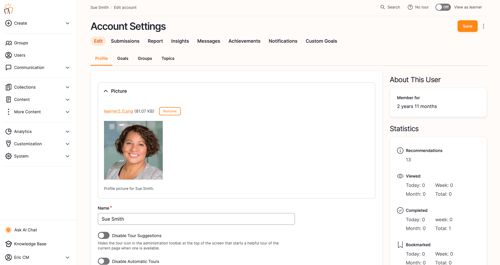
- Select the Edit tab to view or edit the User Profile , Goals (including User Image, Name, Password, Locale, Role and Language), Groups and Topics
- In this section you can also see Reports, Insights, Messages Notifications and Custom Goals
Still can’t find what you're looking for? Contact Support